Your USB headset or DAC went silent after an update, and Device Manager says “This device cannot start (Code 10)”. That is USB audio Code 10, and October's patch did not remove it. Start with what costs nothing: unplug the device and use a different USB port. Then, in Device Manager, right-click it, choose Disable device, and enable it again. If sound returns, you are done. If not, the order below stops you wasting an evening on the wrong fix.
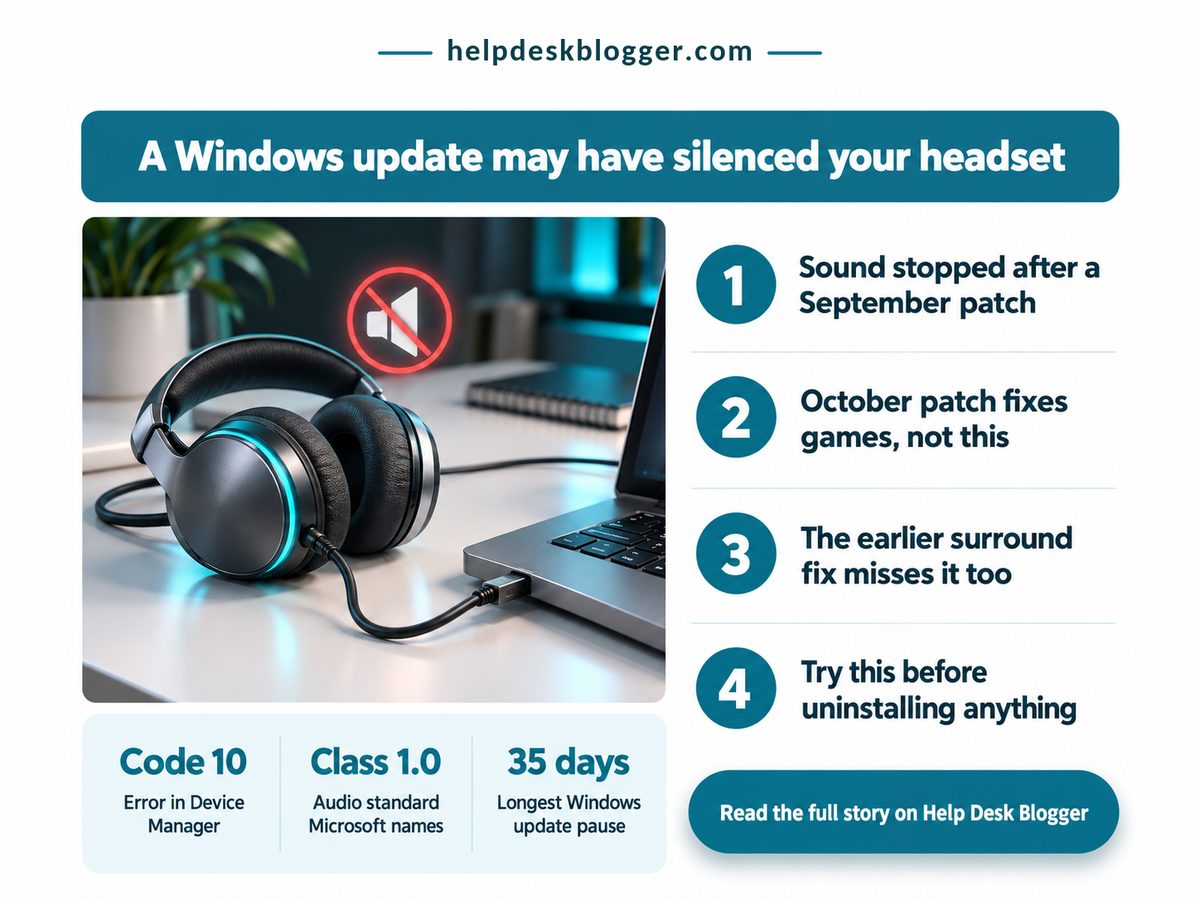
The October patch does not cure the fault, so stop waiting for it and run the checks in order.
- Unplug the device, use another USB port, then disable and enable it in Device Manager; it costs nothing.
- If only surround sound is dead, switch the device to a stereo format.
- Treat uninstalling the October update as a last resort: it may not undo a fault that began in September.
- On 24H2 Home or Pro, October was the last update, so plan the move to a newer version.
Does KB5127648 fix USB audio Code 10?
No, KB5127648 does not fix it: Microsoft still lists the USB Audio Class 1.0 fault as mitigated, not fixed, and the October notes repair other things, such as Dolby Digital crashes in older games.
Microsoft's support page says KB5127648 arrived on 13 October 2026 for 24H2, 25H2 and 26H2, with builds ending in 9711. Press Windows+R, type winver and read your build: if it ends in 9711 or later, you already have the patch, so “install the latest update” is not step one.
On 24H2 Home or Pro, October was the version's last update, so nothing later is coming. Our guide to the 24H2 end of support and the one-restart move covers the way out.
According to Techdows, reading Microsoft's known-issues list on 14 October, some USB Audio Class 1.0 devices fail to start or play no sound, and Device Manager reports Code 10. It began with the 8 September update (KB5124008), per GridinSoft's 15 September report. Our rundown of the four faults in that September update covers the others.
The September emergency patch does not help either. KB5129195 (14 September, builds 26100.9457 and 26200.9457) repairs only eight-channel and 3D audio failures on class 1.0 devices that still work in stereo, Redmond Magazine reported on 16 September. So two faults share one complaint, and the cures differ: surround dead but stereo fine, or the device will not start at all.
October's notes do mention audio, which is where people get misled. KB5127648 fixes AC-3 (Dolby Digital) decode crashes in older apps and games, game mouse stutter, Hello fingerprint sign-in after a cold boot and Always On VPN, per Techdows and Windows Report on 14 October. None of that is Code 10. Four numbers decide whether waiting is worth it: how long the fault has been open, what the first fix costs, how many October repairs touch it, and how many patches have cured it.
Days the fault has been open
38 days
Waiting has not fixed it
Cost of the first fix
£0
Settings only, nothing to buy
Fixes reported for KB5127648
4
None touches this fault
Patches that cured Code 10
0 of 2
Both skip this fault
The cost cell is the one to act on: free checks should always run before the ones that remove security patches. Here is where I part company with the usual advice: “just install the latest update” is outdated for this fault, because the latest update is the one that skips it. And Microsoft's “mitigated” is, I think, a fix of sorts, or rather a workaround with a kinder label, when your DAC is silent.
Both patches have shipped and neither cures the fault, so the fix is the order of your checks, not the wait for a patch.
How do I fix “This device cannot start (Code 10)”?
Work through the checks in order: swap the port and toggle the device, confirm your build, switch to stereo if only surround is dead, and uninstall only after those fail.
A hwbusters headline reports that Microsoft's only advice for the surround variant is to drop to stereo.
| Category | Detail | What it means |
|---|---|---|
| 💰 Cost to try | Replug and toggle: free | ✅ Costs nothing, so go first |
| 📊 Build number | Ends 9711 or later: patched | ⚠️ Patched already? Stop waiting |
| ⏱ Fault age | Open since 8 September | ❌ No fix date found, so do not wait |
| 🔋 Device type | Microsoft names Class 1.0 | ⚠️ Judge by symptom, not by brand |
| 🛠 Stereo switch | Pick a 2-channel format | ✅ Fits the surround-only fault |
| 🧾 Uninstall | Update history, last resort | ❌ May not undo a September fault |
| 🏁 Best suited for | Silent device, Code 10 shown | 🏁 Rows 1 to 5, then stop |
Stop at the first row that brings sound back. If the toggle fails, the generic next step is Roll Back Driver on the Driver tab in the device's Properties. That is standard troubleshooting, not a Microsoft-confirmed cure, so treat it as a free experiment.
Match your symptom to a row before you install or remove anything: only the surround fault and the Dolby Digital crash have a published patch. Sources are Techdows, GridinSoft, Redmond Magazine and Windows Report; the sorting is mine.
Should I uninstall the update to get sound back?
Only as a last resort: October's update is cumulative, so removing it may not undo a fault that began in September, and it takes the latest security fixes off your PC with it.
The route, if you must: Settings, Windows Update, Update history, Uninstall updates (Techdows, 14 October). Pausing updates is milder, and Windows allows up to 35 days. Do the sum, though: the fault began on 8 September, so a pause started today ends on 20 November, 73 days in, with no fix date from Microsoft. That is my arithmetic, not a Microsoft figure, and it says waiting out the fault is not a plan.
Whether removing October's update would bring your device back is unknowable from the public notes, and my view is not to trade security patches for a coin toss before the free checks fail.
- Do not apply a Remote Desktop mitigation to an audio fault: the 0xC000000D sign-in error after KB5124010 is a separate issue, and its mitigation switches Administrator protection off.
- Do not read an expiry notice as the cause. Office 2021 support also ended on 13 October, which has nothing to do with sound.
- Do not stack fixes: change one thing, test the sound, then the next.
Key takeaways to act on: which of these is you?
- Sound returns in a stereo format but surround stays dead: keep the stereo format.
- Code 10 stays after a second port and a disable-and-enable: try the driver rollback, then weigh the uninstall.
- Windows will not start at all: use the WinRE option, Uninstall latest quality update.
The decision: keep the update and work around the fault, or remove it. Keep it. This week, replug the device in another port, toggle it in Device Manager, set a stereo format if only surround is dead, and run winver so you know your build when a real fix lands.
No comments:
Post a Comment
Note: Only a member of this blog may post a comment.