Your PC says 24H2. Windows Update says you're up to date. And somewhere you read that something ends on 13 October, which is next Tuesday. That date is the 24H2 end of support deadline for Home and Pro editions, and for most machines the fix is one restart, not a reinstall. Here is the check order, fastest first.
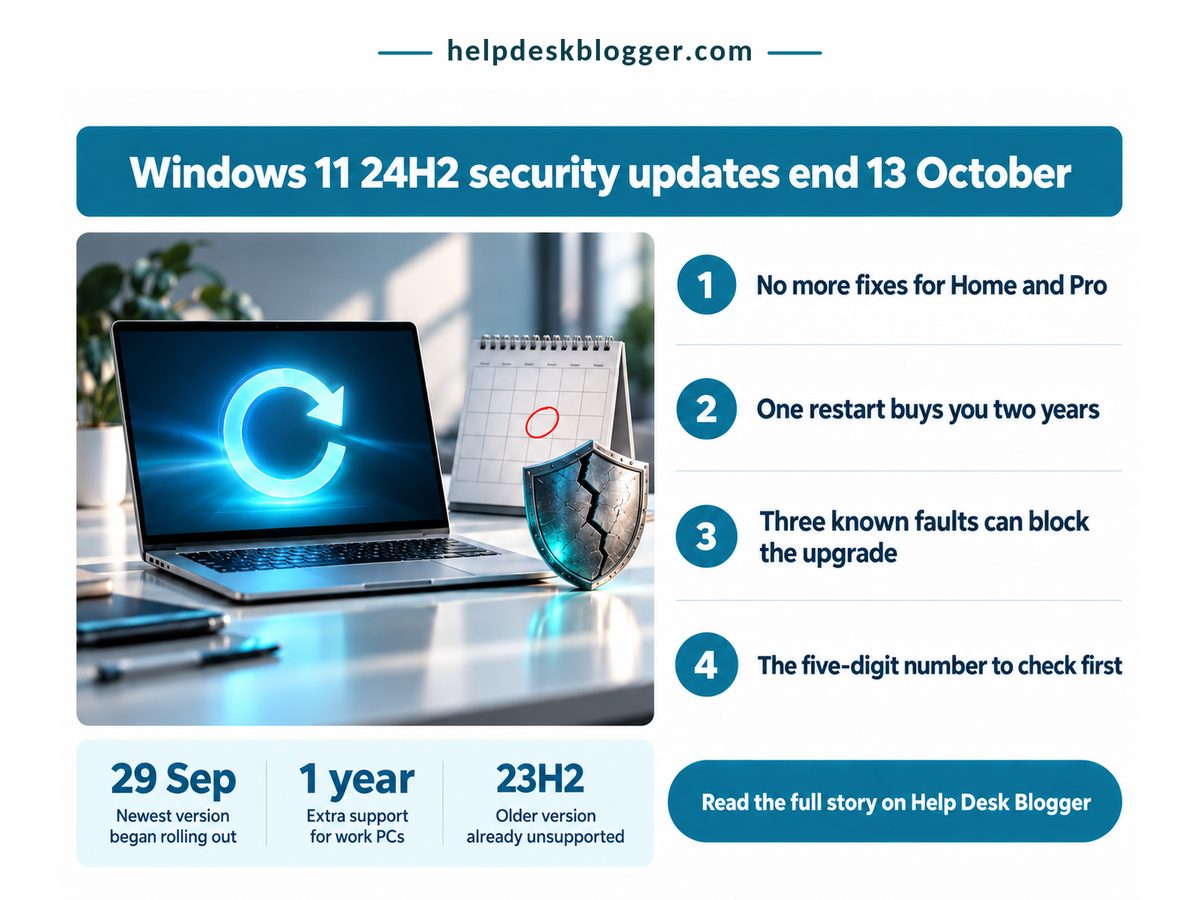
Key Takeaways
If winver shows a build starting 26100 on Home or Pro, install 26H2 this week: one restart buys two more years of fixes.
- 24H2 Home and Pro lose security fixes after 13 October 2026; Enterprise and Education get another year.
- 26H2 covers you roughly twice as long as 25H2 for the same single restart.
- A build starting 22631 is 23H2 and needs the full upgrade, not the quick one.
- USB audio, Credential Guard or virtual desktop users should check Microsoft's release health page first.
How do I check if my PC is on 24H2?
Press the Windows key and R, type winver, press Enter, and read the build number: if it starts 26100 you are on 24H2, and the security clock on your PC runs out next Tuesday.
Only the first five digits matter. Microsoft's release health page lists the newest 24H2 build as 26100.9550, from 22 September, so anything beginning 26100 is 24H2 however recently it was patched. That's the trap: a fully patched 24H2 machine looks healthy right up to the day the updates stop.
Next, the edition, named in the same box. On Home or Pro, 13 October 2026 is the last Patch Tuesday that reaches you. Enterprise and Education editions of 24H2 get fixes until 12 October 2027, per the same Microsoft page, so a work laptop has another year while the personal Pro machine beside it does not. Edition decides urgency, not age.
Then Windows Update. In Settings, check that updates aren't paused and that the toggle for getting the latest updates early is on. Nothing breaks on the day. Well, nothing you'd notice: the PC boots, apps open, and every flaw found after that Tuesday stays open on your machine.
If last month's patch made you pause, see our guide to Windows 11 September update problems and what KB5129195 fixes: none is a reason to stay on 24H2. An older Windows 10 machine has more room, because Windows 10 extended security updates now run to October 2027, if enrolment went through.
Four numbers decide whether this is a five-minute job or a weekend one. The date comes from Microsoft's Windows 11 release information page and the single restart from TechRepublic's 2 October report; feature updates are free, and the last figure is our own arithmetic on Microsoft's end dates.
Last Home/Pro Update
13 Oct 2026
Later flaws stay open
Price of Moving to 26H2
£0
Nothing to buy or renew
Restarts Needed From 24H2
1
No wipe, no reinstall
25H2 Cover vs 26H2
50%
Half the time, same reboot
The restart figure is the one people doubt. Newer versions reach a 24H2 PC as an enablement package, a small update that switches on features already on your drive. Files, apps and settings stay put.
Next Tuesday is not a reinstall deadline. It is a one-restart deadline, and that same restart can buy two years of fixes instead of one.
Should I skip 25H2 and go straight to 26H2?
Yes for almost every home PC on 24H2: 26H2 installs the same way as 25H2, with one restart, but its Home and Pro support runs a full year longer.
The usual advice is to take whatever Windows Update offers. This month that advice is out of date: TechRepublic's August and October reports say Microsoft's automatic route for home PCs leads to 25H2, while 26H2 arrives gradually. Accept the default and you get the shorter of the two.
| Dimension | 25H2 vs 26H2 | What it means for you |
|---|---|---|
| 💰 Cost and effort | 25H2 Free, small download 26H2 Free, small download |
✅ Same job either way, so pick on length |
| ⏱ Updates stop | 25H2 12 Oct 2027 26H2 10 Oct 2028 |
✅ Your next deadline lands a year later |
| 📊 Build in winver | 25H2 26200.x 26H2 26300.x |
✅ Confirms the restart actually took |
| 🌍 How it arrives | 25H2 Pushed to home PCs 26H2 In waves since 29 Sep |
⚠️ Waiting usually hands you the shorter one |
| 🧾 From 23H2 | 25H2 Full upgrade only 26H2 Full upgrade only |
❌ No quick enablement route for you |
| 🏁 Best suited for | 25H2 PCs a safeguard holds back 26H2 Any home PC on 24H2 today |
🏁 Most readers should take 26H2 now |
Read down the right-hand column and the choice makes itself. Only timing and 23H2 push back, and timing has a manual fix: if Windows Update hasn't offered 26H2, Microsoft's Installation Assistant installs it now.
Going straight to 26H2 roughly doubles what 25H2 gives for the same restart, so don't stop halfway. Days counted by Help Desk Blogger from 6 October 2026 to Microsoft's published Home and Pro end dates.
What can block the 24H2 end of support fix?
Three known compatibility problems can hold a PC back from 26H2, and an older 23H2 install cannot take the quick route at all, so check both before you assume Windows Update is broken.
Microsoft blocks the upgrade where it knows something will break, a safeguard hold. As of 3 October, TechRepublic counted three, covering USB audio devices, Credential Guard and virtual desktop setups. If you record through a USB audio interface, that first one is about you.
Here's where I part company with the forums, which treat forcing past a hold as the obvious move. My view: if your income runs through that interface, take 25H2 now and let 26H2 follow once the hold lifts. A dead recording setup costs more than a second restart next year. That's opinion, and Microsoft hasn't said when the holds clear.
The other dead end is 23H2. Its Home and Pro editions are already out of support, and its latest build is 22631.7584, so a reading starting 22631 means the enablement package won't apply. You need the full feature update, and free space on an ageing drive starts to matter. If it's tight, our look at whether to buy RAM and SSD upgrades now or wait in 2026 covers what a replacement costs.
- A pause that runs past 13 October holds you on an unsupported build until it expires.
- A held PC looks like one not yet offered; Microsoft's release health page tells them apart.
- Work PCs follow your IT team's schedule; ask first.
- Back up anyway: one restart is normal, not promised.
Install 26H2 this week if all of these are true:
- winver shows a build starting 26100 and the edition line says Home or Pro.
- You rely on no USB audio interface, Credential Guard or virtual desktop.
- The PC is yours, not your employer's.
Take the slower route if your build starts 22631 or a hold keeps 26H2 off your PC.
So here's the job: open winver tonight, and if the build starts 26100, install 26H2 from Windows Update before next Tuesday's final 24H2 patch.